


Skip to content

Preorder now · Download November 27

One agent. Three ways to work.

Miosbot is one agent. Miosbot Code and Miosbot Auto are profiles of it, made for coding and for automotive dealerships. They share the same memory, rules and history, so nothing gets lost when you switch.

The profile switcher

One click changes the profile.

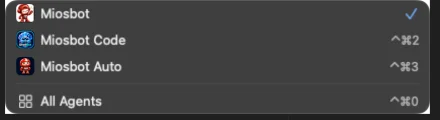
Miosbot’s name sits at the top of the window. Click it to switch between Miosbot, Miosbot Code and Miosbot Auto, or press ⌃⌘2 and ⌃⌘3. The sidebar and pages change with the profile; the agent, its memory and its rules stay the same. All Agents, at the bottom of the menu, opens the custom agents you add.

The profile switcher open under the Miosbot name, listing Miosbot, Miosbot Code and Miosbot Auto with their shortcuts, then All Agents.
Miosbot, a cheerful red robot mascot wearing a backward cap and headset, smiling and waving

Miosbot

Your assistant for the whole day

The app opens on Miosbot. Ask in plain language for research, drafts, plans and follow-ups. It reaches you and your contacts by SMS, email, Slack, iMessage and voice calls, makes images and short videos on request, and works your connected tools, writing only what you approve.

Sidebar
Home, New, Design, Tasks, Projects, Artifacts and Recents
Permission mode
Auto by default
Channels
SMS, email, Slack, iMessage, voice calls; WhatsApp optional
Available
Download on November 27
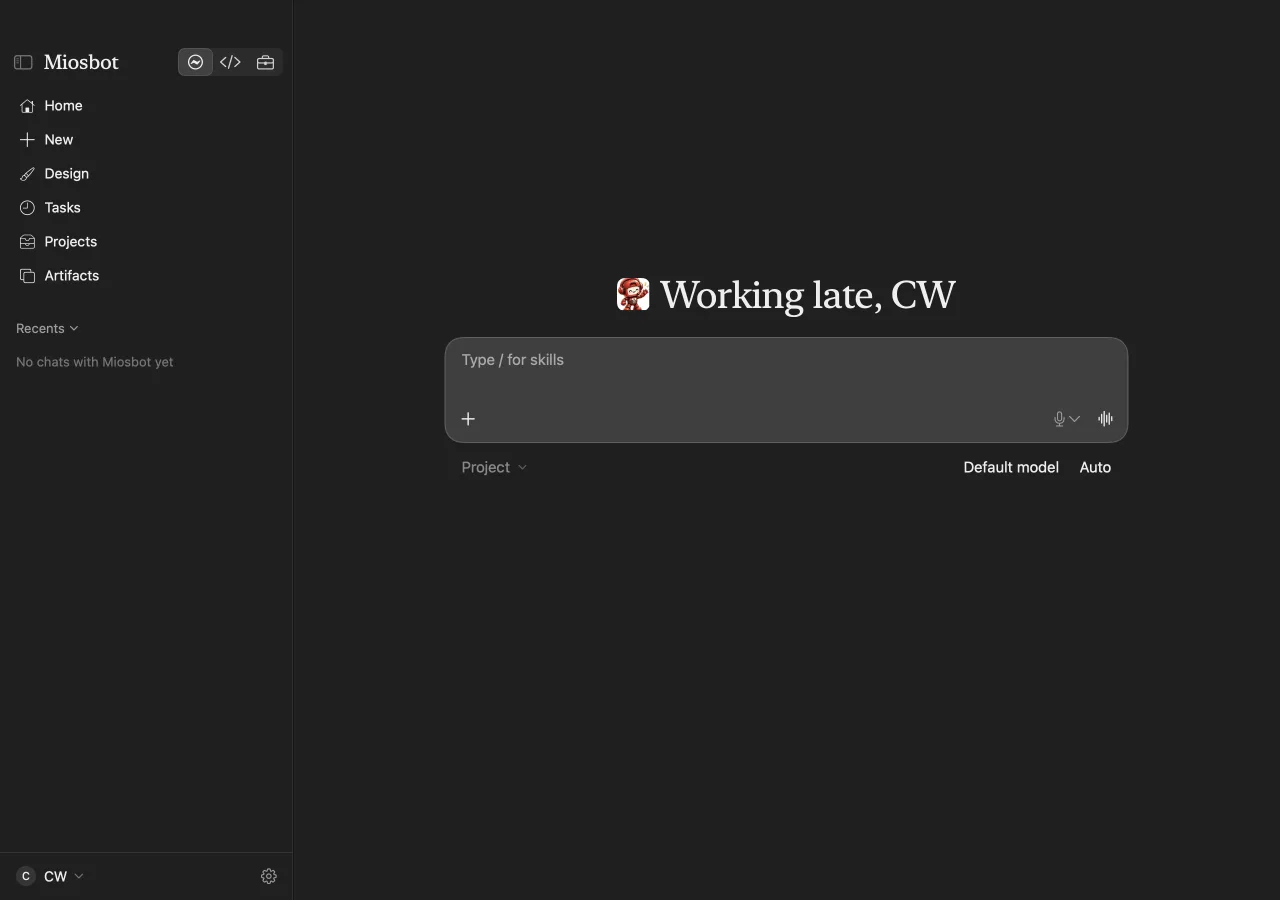
The Miosbot Mac app on its home screen. The sidebar lists Home, New, Design, Tasks, Projects and Artifacts, and the composer waits under a greeting.
Home, ready for a new request. Type / for skills, and pick the model and mode under the composer.
The Miosbot Code icon: a glowing blue robot under a scallop shell with a code tag

Miosbot Code

Coding jobs that end in a draft pull request

Give Miosbot Code an issue or a sentence in chat. It works in its own branch, runs the tests and opens a draft pull request with the change and its checks. It runs a couple of jobs at a time, and it never merges: that stays with you.

Starts from
An issue or a chat message
Ends with
A draft pull request for you to review
Never
Merges on its own
Available
Download on November 27
The Miosbot Auto icon: a red robot in a racing helmet with a check mark on its chest

Miosbot Auto

Built for automotive dealerships

Miosbot Auto brings the dealer’s day into pages made for it: Today, Action Required, an Action Plan, Deals & Funding, Vehicles, Reports and Investigate, with Import to bring your records in. It drafts customer messages for you to send and does not approve financing.

Pages
Deals & Funding, Vehicles, Investigate, Reports, Action Plan
Asked first
Messages to customers
Finance approvals
Never; it does not approve financing
Available
Download on November 27

Miosbot and friends

Shellbot is a separate companion app in the Miosbot family, with its own download.

Preorder Miosbot now.

Download on Black Friday, November 27, for Mac, iPhone, Apple Watch and the web. Miosbot for Chrome and Safari: coming at launch.

The captures on this page are real, taken from the Miosbot Mac app in November 2026, before launch. The model shown in the composer is the route configured on that Mac; no provider partnership is implied.